

 Jinba Flow
 Jinba App
 Jinba Toolbox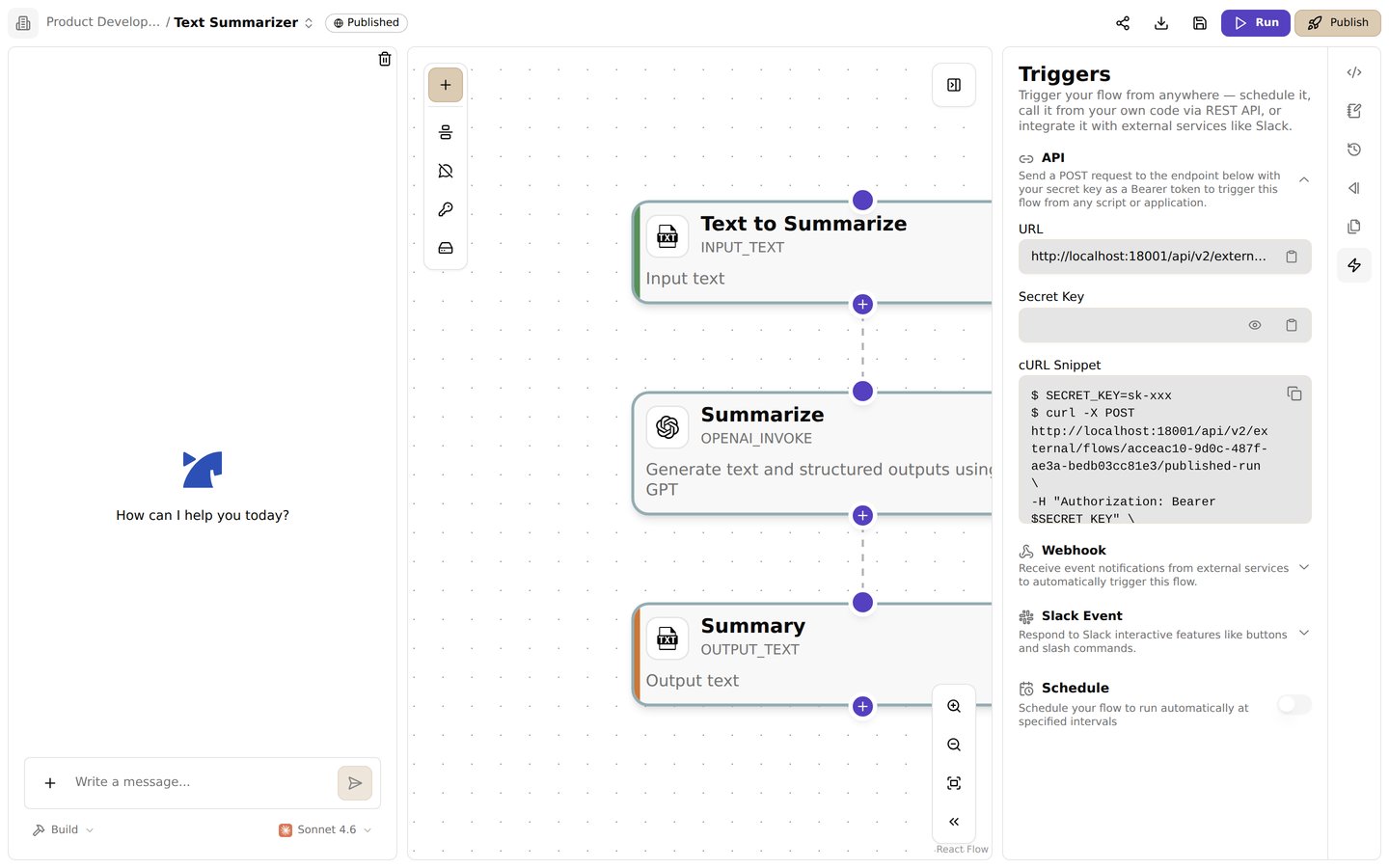
The triggers panel. Find the endpoint URL, secret key, and a ready-to-use cURL snippet
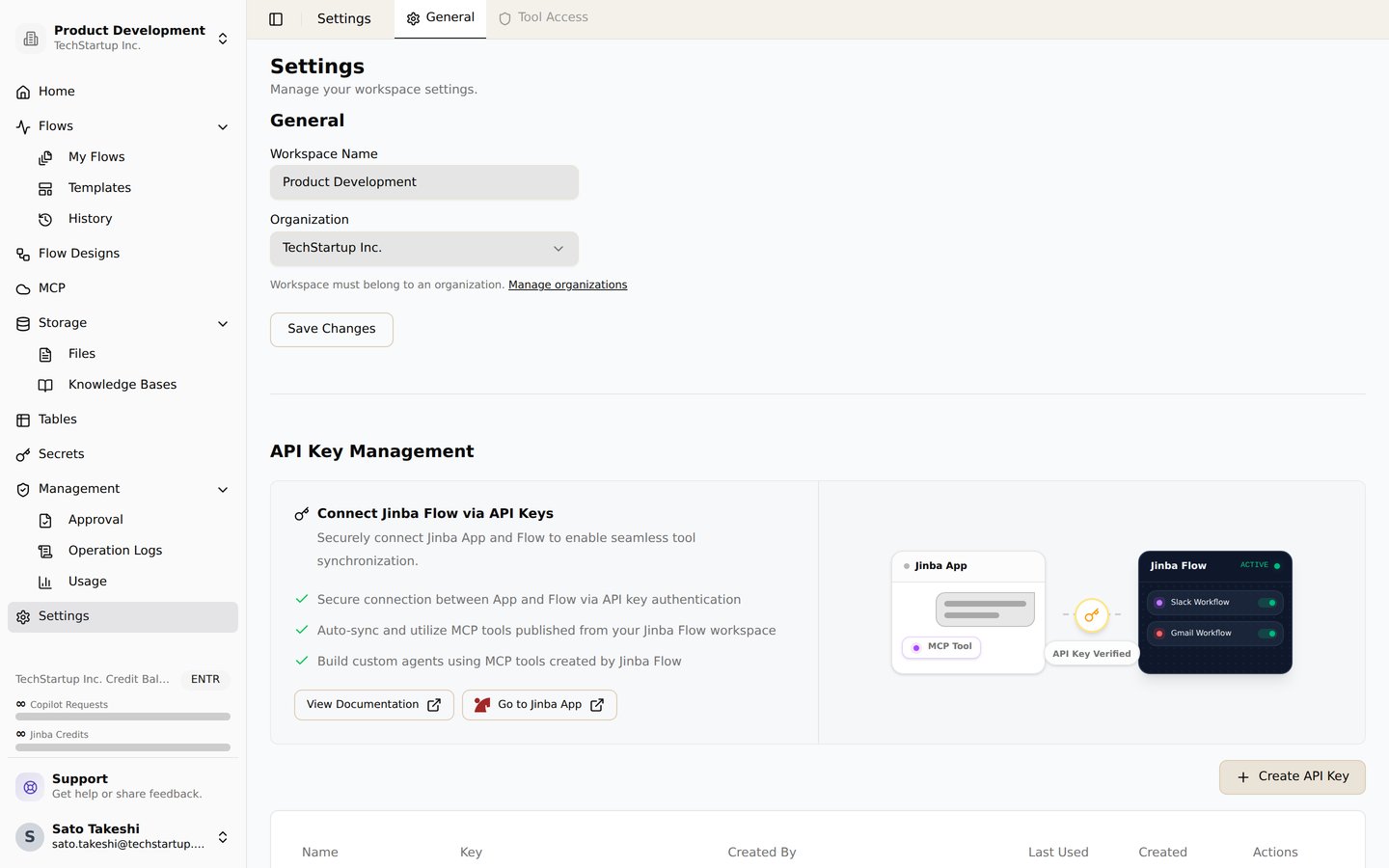
API key management in workspace settings. Issue API keys for connecting Jinba App and using MCP tools
Overview
Jinba Flow provides REST API endpoints that allow you to execute published workflows programmatically. Once a workflow is published, you can call it from external systems, webhooks, or any application that can make HTTP requests.API Access
Prerequisites
To use the API, you need:- Published Workflow: The workflow must be published (see Publish)
- API Key: An API key is automatically generated when you publish a workflow
- Authentication: Use the API key in the Authorization header
API Endpoints
Run Published Workflow
Endpoint:POST /api/v2/external/flows/{flowId}/published-run
Authentication: Bearer token (API key)
Request Body:
Authentication
API Keys
When you publish a workflow, an API key is automatically generated:- Automatic Generation: Created when you first publish
- Flow-Scoped: Each workflow has its own API key
- Secure Storage: Keys are stored securely in your workspace
- Viewing Keys: Access keys from workflow settings
Using API Keys
Include your API key in the Authorization header:- Never share API keys publicly
- Store keys securely in environment variables
- Rotate keys regularly if compromised
- Use different keys for different environments
Calling Workflows via API
Synchronous Execution
Synchronous execution waits for the workflow to complete before returning:- Blocking: Request waits for completion
- Immediate Response: Returns result when workflow finishes
- Timeout: May timeout for long-running workflows
- Use Case: When you need immediate results
Asynchronous Execution
Asynchronous execution returns immediately and runs the workflow in the background:- Non-Blocking: Returns immediately with run ID
- Background Execution: Workflow runs asynchronously
- Status Check: Use run ID to check status later
- Use Case: For long-running workflows or fire-and-forget scenarios
Input Arguments
Argument Format
Arguments are passed as an array of name-value pairs:Argument Types
Arguments can be:- Strings: Text values
- Numbers: Numeric values
- Booleans: True/false values
- Objects: Complex nested data structures
- Arrays: Lists of values
Example Arguments
Response Format
Success Response
Error Response
API Usage Examples
Python Example
JavaScript/Node.js Example
Webhook Integration
You can call workflows from webhooks:Error Handling
Common Errors
401 Unauthorized
Cause: Invalid or missing API key Solution: Verify your API key is correct and included in the Authorization header404 Not Found
Cause: Workflow not found or not published Solution:- Verify the workflow ID is correct
- Ensure the workflow is published
- Check that the workflow is not archived
403 Forbidden
Cause: API key doesn’t have access to this workflow Solution: Verify the API key is scoped to the correct workflow or workspace400 Bad Request
Cause: Invalid request format or missing required arguments Solution:- Check request body format
- Verify all required arguments are provided
- Validate argument types match workflow expectations
Retry Logic
For production applications, implement retry logic:Rate Limiting
API requests may be subject to rate limiting:- Rate Limits: Limits may apply based on your subscription plan
- 429 Status: Returns 429 Too Many Requests when limit exceeded
- Retry-After: Header indicates when to retry
- Best Practice: Implement exponential backoff for retries
API Key Management
Viewing API Keys
- Open your published workflow
- Navigate to workflow settings
- Go to API or Publish Settings section
- View your API key
Regenerating API Keys
If your API key is compromised:- Go to workflow settings
- Navigate to API section
- Regenerate the API key
- Update all applications using the old key
Best Practices
- Use Environment Variables: Store API keys in environment variables, not in code
- Error Handling: Implement proper error handling and retry logic
- Timeout Configuration: Set appropriate timeouts for API calls
- Logging: Log API calls for debugging and monitoring
- Security: Never commit API keys to version control
- Async for Long Tasks: Use async mode for long-running workflows
- Input Validation: Validate inputs before sending to API
Related Features
- Publish - Learn about publishing workflows
- Scheduling - Learn about scheduling workflows
- Workspace - Learn about workspace management