> ## Documentation Index
> Fetch the complete documentation index at: https://docs.jinba.io/llms.txt
> Use this file to discover all available pages before exploring further.
# Overview
> Jinba Flow provides three different interfaces for creating workflows. By utilizing the characteristics of each interface appropriately, you can build workflows exactly as you envision.
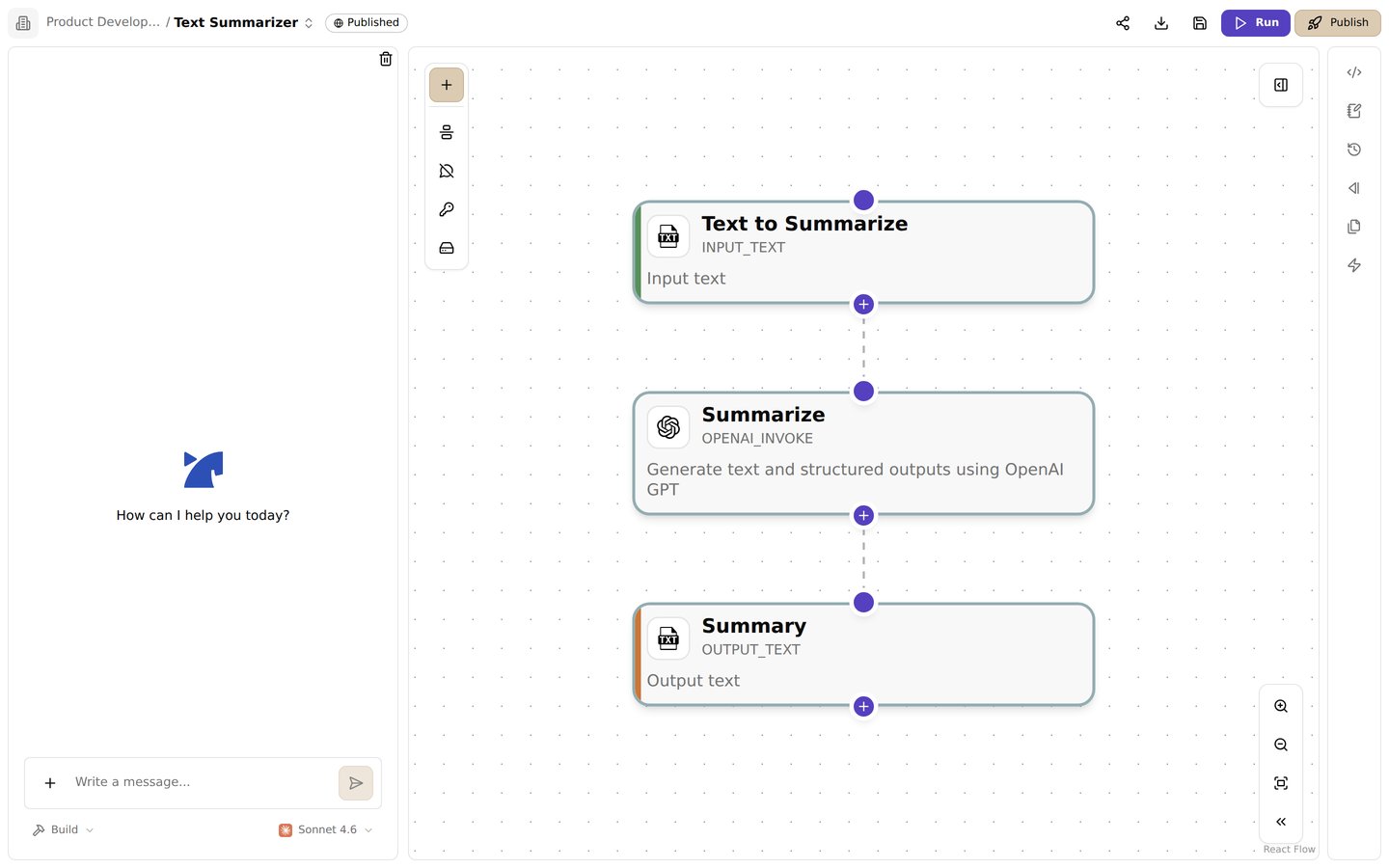 ## Chat Panel
Use the Jinba Copilot to create flows through natural language conversation. This method is perfect for beginners or when you want to quickly prototype ideas.
**Best for:**
* Beginners learning Jinba Flow
* Quick prototyping
* Natural language interaction
* Getting started without technical knowledge
[Learn more about Chat Panel →](./chat)
## Graph Editor (Drag & Drop)
Use the visual drag-and-drop graph editor to build flows by connecting pre-built modules. This method provides a visual approach to flow creation.
**Best for:**
* Building flows with existing tools
* Understanding flow structure
* Quick assembly of common patterns
[Learn more about Graph Editor (Drag & Drop) →](./drag_and_drop)
## YAML Coding Panel
Write manifests directly in YAML format for complete control over your flows. This method offers the most flexibility and power.
**Best for:**
* Advanced users
* Custom tool integration
* Complex workflows
* Complete control over execution
[Learn more about YAML Coding Panel →](./manifest)
## Choosing Your Method
* **Start with Chat Panel** if you're new to Jinba Flow or want to quickly explore possibilities
* **Use Graph Editor (Drag & Drop)** if you prefer visual interfaces and want to work with existing tools
* **Choose YAML Coding Panel** if you need full control and are comfortable with YAML configuration
All three methods can be used together - you might start with chat to prototype, then refine with the graph editor, and finally optimize with YAML coding.
## Chat Panel
Use the Jinba Copilot to create flows through natural language conversation. This method is perfect for beginners or when you want to quickly prototype ideas.
**Best for:**
* Beginners learning Jinba Flow
* Quick prototyping
* Natural language interaction
* Getting started without technical knowledge
[Learn more about Chat Panel →](./chat)
## Graph Editor (Drag & Drop)
Use the visual drag-and-drop graph editor to build flows by connecting pre-built modules. This method provides a visual approach to flow creation.
**Best for:**
* Building flows with existing tools
* Understanding flow structure
* Quick assembly of common patterns
[Learn more about Graph Editor (Drag & Drop) →](./drag_and_drop)
## YAML Coding Panel
Write manifests directly in YAML format for complete control over your flows. This method offers the most flexibility and power.
**Best for:**
* Advanced users
* Custom tool integration
* Complex workflows
* Complete control over execution
[Learn more about YAML Coding Panel →](./manifest)
## Choosing Your Method
* **Start with Chat Panel** if you're new to Jinba Flow or want to quickly explore possibilities
* **Use Graph Editor (Drag & Drop)** if you prefer visual interfaces and want to work with existing tools
* **Choose YAML Coding Panel** if you need full control and are comfortable with YAML configuration
All three methods can be used together - you might start with chat to prototype, then refine with the graph editor, and finally optimize with YAML coding.